Introduction
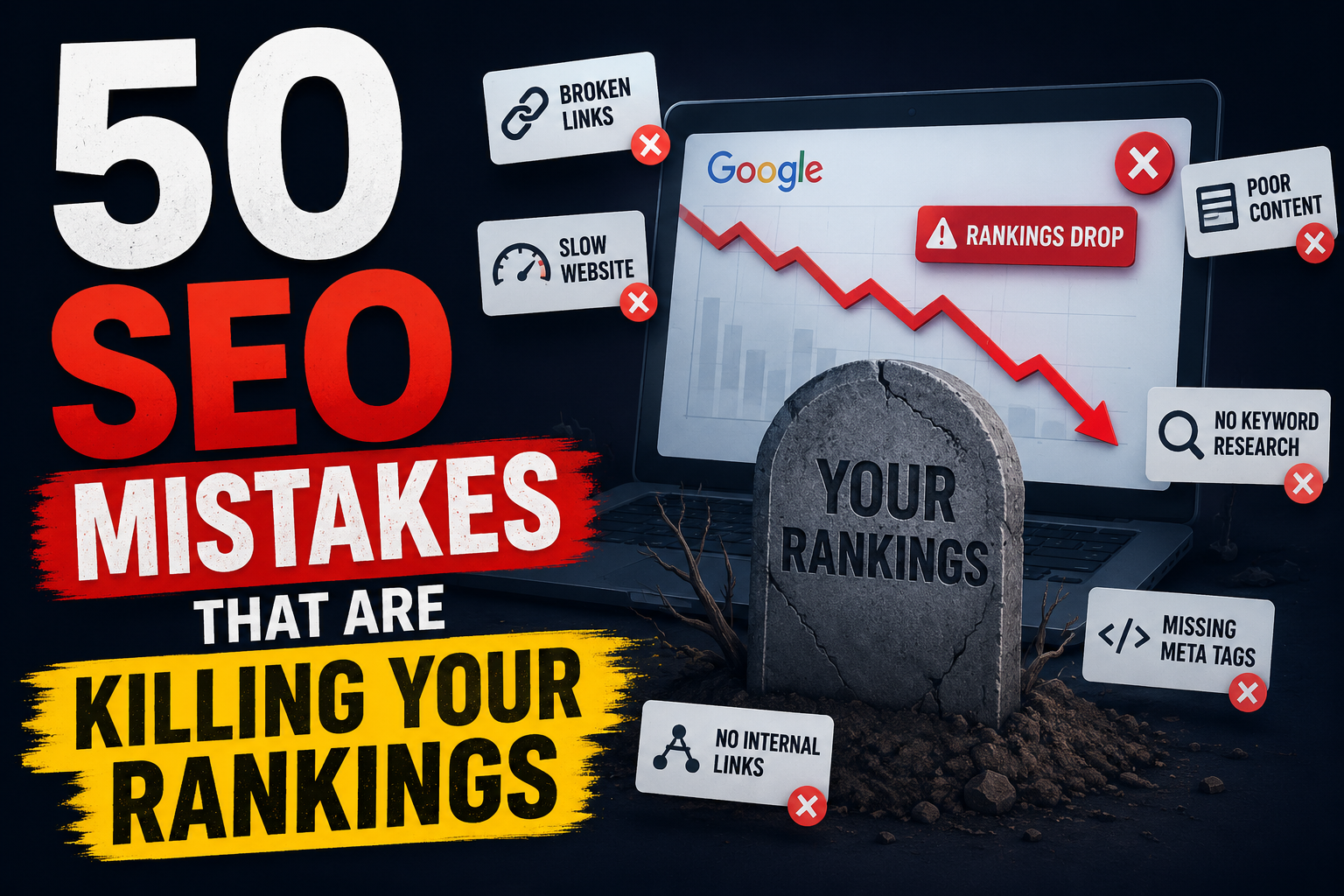
You’ve written the blogs. You’ve done the keyword research. You’ve built the backlinks. But your rankings still aren’t moving — or worse, they’re dropping.
Here’s the hard truth: most websites are quietly sabotaging their own SEO with mistakes that are easy to miss but expensive to ignore. These aren’t obscure technical edge cases — they’re the same errors SEO professionals see over and over again during site audits.
In this guide, we’ve compiled the 50 most common SEO mistakes that tank rankings, along with a clear fix for each one — including direct links to the best tools and official resources for every fix. Bookmark it. Audit against it. Fix what you find.
| Section 1 · Mistakes #1–12 Technical SEO Mistakes |
1. Blocking Important Pages in robots.txt
A single misplaced line in your robots.txt file can block Googlebot from crawling your entire site — or your most important pages. This is surprisingly common after site migrations or CMS updates.
| ✔ Fix: Audit your robots.txt at yourdomain.com/robots.txt. Use Google Search Console’s robots.txt tester to validate rules and ensure you’re not disallowing key pages. |
2. Missing or Broken XML Sitemap
Without a clean, up-to-date XML sitemap, search engines may struggle to discover all your pages — especially in large or dynamically generated sites.
| ✔ Fix: Generate a sitemap using Screaming Frog or your CMS plugin. Submit it in Google Search Console under Sitemaps. Exclude 301 redirects, 404 pages, and noindex URLs. |
3. Slow Page Speed (Especially on Mobile)
Google has used page speed as a ranking signal since 2010, and its Core Web Vitals update made it even more critical. A page that takes over 3 seconds to load is losing both rankings and conversions.
| ✔ Fix: Run your site through Google PageSpeed Insights and GTmetrix. Compress images, enable browser caching, use a CDN, and defer render-blocking JavaScript. |
4. Not Having HTTPS
HTTP sites are flagged as ‘Not Secure’ in Chrome, which destroys user trust and is a confirmed ranking signal. There’s no excuse for running HTTP in 2026.
| ✔ Fix: Install a free SSL certificate via Let’s Encrypt. Redirect all HTTP traffic to HTTPS and update all internal links. |
5. Crawl Budget Waste on Low-Value Pages
Large sites with faceted navigation, duplicate filter combinations, or empty category pages can waste Googlebot’s crawl budget, leaving important pages undiscovered.
| ✔ Fix: Use noindex on low-value pages and canonicalize duplicates. Read Google’s crawl budget documentation for advanced guidance. |
6. Duplicate Content Across Multiple URLs
The same content at www vs non-www, HTTP vs HTTPS, or trailing slash vs no trailing slash creates separate URLs to Google, diluting ranking signals.
| ✔ Fix: Implement 301 redirects to a single canonical URL. Use the rel=canonical tag guide from Google to consolidate link equity properly. |
7. Broken Internal Links (404 Errors)
Internal links pass PageRank. When they lead to 404 pages, that link equity evaporates — and it creates a poor user experience that increases your bounce rate.
| ✔ Fix: Crawl your site monthly with Screaming Frog or Ahrefs Site Audit. Fix broken links by updating them or setting up 301 redirects. |
8. Not Implementing Structured Data (Schema Markup)
Structured data helps Google understand your content and qualify you for rich results — star ratings, FAQs, product prices, event dates. Skipping it leaves valuable SERP real estate on the table.
| ✔ Fix: Implement JSON-LD schema using Schema.org reference. Validate with Google’s Rich Results Test after implementation. |
9. JavaScript-Rendered Content Not Being Indexed
If your site relies heavily on JavaScript to render content, Google may not fully index it. Googlebot renders JavaScript but it’s not perfect — key content can be missed.
| ✔ Fix: Test with Google Search Console’s URL Inspection tool to see what Googlebot actually renders. Consider server-side rendering (SSR) for critical pages. |
10. Missing hreflang for Multi-Language Sites
Without hreflang tags on a multilingual site, Google may serve the wrong language version to users, hurting international rankings and conversions.
| ✔ Fix: Implement hreflang tags per Google’s hreflang guide. Validate implementation with hreflang.org. |
11. Poor Core Web Vitals Scores
Google’s Core Web Vitals — LCP, INP, and CLS — are direct ranking factors. Poor scores signal a bad user experience and can push you below competitors with similar content quality.
| ✔ Fix: Check your scores in Google Search Console’s Core Web Vitals report. Use web.dev/measure for detailed diagnostics per metric. |
12. Not Using a Mobile-First Design
Google indexes the mobile version of your site first. If your mobile experience is broken or inferior to desktop, your rankings suffer regardless of desktop quality.
| ✔ Fix: Test with Google’s Mobile-Friendly Test. Ensure responsive design, adequate tap targets, readable font sizes, and no content hidden on mobile. |
| Section 2 · Mistakes #13–24 Content SEO Mistakes |
13. Writing for Search Engines Instead of Humans
Keyword-stuffed, robotic content might have worked in 2010. Google’s helpful content system now actively demotes content written primarily for rankings rather than for people.
| ✔ Fix: Review Google’s helpful content guidelines and ask: ‘Would a reader find this genuinely helpful?’ before every publish. |
14. Ignoring Search Intent
Ranking for a keyword you can’t satisfy is pointless. If someone searches ‘best running shoes’ they want a comparison list — not a product page. Mismatching intent kills rankings fast.
| ✔ Fix: Before creating content, Google the target keyword and study the top 5 results. Use Ahrefs’ SERP overview to quickly analyze intent patterns at scale. |
15. Thin Content (Under 300 Words)
Pages with little substantive content give Google nothing to evaluate. Thin content dilutes your site’s overall quality score and rarely earns rankings for anything competitive.
| ✔ Fix: Expand thin pages or consolidate them. Use Google Search Console to identify low-impression pages that likely suffer from thin content issues. |
16. Keyword Cannibalization
Having multiple pages competing for the same keyword confuses Google about which page to rank, splitting link equity and resulting in neither page ranking well.
| ✔ Fix: Audit for overlap with Ahrefs Site Audit or Semrush. Consolidate competing pages via 301 redirect or differentiate by targeting distinct sub-intents. |
17. Never Updating Old Content
Content decays. Statistics go stale, tools change, rankings shift. An article from 2020 competing in a fast-moving niche will gradually lose ground to fresher content.
| ✔ Fix: Schedule quarterly audits. Use Google Search Console to find pages with declining impressions — these are your refresh priorities. Update stats, examples, and republish. |
18. Publishing Without a Keyword Strategy
Publishing content without researching demand first is guessing. You might create brilliant content that nobody is actively searching for.
| ✔ Fix: Use Google Keyword Planner, Ahrefs Keywords Explorer, or Semrush to validate search volume before writing. |
19. Ignoring Topic Clusters and Topical Authority
Publishing random content across unrelated topics tells Google nothing about your expertise. Sites with deep topical authority in a niche consistently outrank generalists.
| ✔ Fix: Build content clusters — a pillar page on a broad topic supported by subtopics. Use HubSpot’s Topic Cluster tool or map clusters manually in a spreadsheet. |
20. No Original Research, Data, or Insights
Content that simply rehashes what others have said is hard to differentiate and hard to link to. Original data, case studies, and unique perspectives attract natural backlinks.
| ✔ Fix: Conduct surveys via Google Forms or Typeform. Compile industry statistics. Original data is one of the most powerful link-earning assets available. |
21. Skipping the E-E-A-T Signals
Google’s Quality Raters look for Experience, Expertise, Authoritativeness, and Trustworthiness. Anonymous content struggles to rank in YMYL (health, finance, legal) niches.
| ✔ Fix: Read Google’s Search Quality Evaluator Guidelines. Add author bios with credentials, trust signals, and cite authoritative external sources. |
22. Ignoring Featured Snippet Optimization
Featured snippets appear above position #1 and are up for grabs if you structure content correctly. Most sites never even try to optimize for them.
| ✔ Fix: Identify snippet opportunities with Ahrefs’ SERP features filter. Structure answers with clear definitions, numbered steps, or comparison tables directly below the question heading. |
23. Writing Content That’s Too Generic
Vague, surface-level content that covers a topic broadly without depth fails to demonstrate expertise. Google rewards content that answers questions better than anyone else.
| ✔ Fix: Use AlsoAsked and AnswerThePublic to uncover the specific questions your audience has. Answer them completely with specific examples and data. |
24. Neglecting Video and Visual Content
Text-only content misses out on Google’s video results, image packs, and the growing preference for visual formats. It also tends to have lower dwell time.
| ✔ Fix: Embed relevant YouTube videos, create infographics, and use optimized images with descriptive alt text. Video results appear in over 25% of SERPs for informational queries. |
| Section 3 · Mistakes #25–35 On-Page SEO Mistakes |
25. Weak or Missing Title Tags
The title tag is the single most impactful on-page SEO element. A generic, keyword-free, or missing title tag is a massive missed opportunity — and it directly affects your CTR.
| ✔ Fix: Use Moz’s Title Tag Preview tool to craft and preview titles. Lead with your primary keyword. Keep it under 60 characters. Make it compelling enough to earn the click. |
26. Duplicate or Missing Meta Descriptions
Meta descriptions are your ad copy in the SERPs. Duplicate or missing descriptions result in Google auto-generating them — often poorly.
| ✔ Fix: Audit meta descriptions site-wide with Screaming Frog. Write unique descriptions of 150–160 characters per page with a clear value proposition and CTA. |
27. Not Using H1–H6 Tags Correctly
Using multiple H1 tags, skipping heading hierarchy, or stuffing headings with keywords confuses both users and crawlers about your content structure.
| ✔ Fix: Crawl your site with Screaming Frog to identify missing or duplicate H1s. Use exactly one H1 per page. Follow a logical H2 → H3 hierarchy. |
28. Keyword-Free or Generic URLs
URLs like /page?id=4821 provide no keyword signal to search engines and are hard for users to understand or share.
| ✔ Fix: Follow Google’s URL structure best practices. Use short, descriptive, keyword-rich slugs. Use hyphens not underscores. |
29. Missing Alt Text on Images
Alt text is how Google understands your images. Missing alt text means your images contribute nothing to your SEO and you’re invisible in Google Image Search.
| ✔ Fix: Audit image alt text with Screaming Frog. Review Google’s image SEO best practices for guidelines on descriptive, keyword-natural alt text. |
30. Neglecting Internal Linking
Internal links pass PageRank throughout your site and help Google understand site structure. Sites that never interlink pages leave enormous SEO value untapped.
| ✔ Fix: Use Ahrefs’ internal link opportunities report to find pages that should be interlinked. Add 3–5 contextual internal links per new post with descriptive anchor text. |
31. Keyword Stuffing
Forcing keywords into every other sentence doesn’t just fail to help — it actively hurts. Google’s algorithms are trained to detect and penalize unnatural keyword repetition.
| ✔ Fix: Write naturally and use semantically related terms. Reference Google’s spam policies to understand exactly what constitutes manipulative keyword usage. |
32. Using noindex on Pages You Want to Rank
It’s shockingly common: a developer adds a noindex meta tag during staging, and it goes live. Result: your pages vanish from Google overnight.
| ✔ Fix: Audit indexed pages via Google Search Console’s Coverage report. Also search ‘site:yourdomain.com’ in Google to spot unexpected gaps in your indexed pages. |
33. Ignoring Long-Tail Keywords
New sites chasing high-volume, high-competition keywords and ignoring long-tail variations is a common strategic error. Long-tail keywords convert better and are easier to rank for.
| ✔ Fix: Use AnswerThePublic, AlsoAsked, and Google’s People Also Ask section. Build content specifically targeting these long-tail variations. |
34. Not Optimizing for Click-Through Rate (CTR)
CTR is a behavioral signal Google monitors. A page at position 4 with a compelling title can outperform position 2 — and that performance can lift rankings.
| ✔ Fix: In Google Search Console, filter the Performance report for high impressions + low CTR. These are your quick wins for rewriting title tags and meta descriptions. |
35. Not Optimizing Images for File Size
Uploading raw 4MB camera images to your CMS is a page speed killer. Unoptimized images are often the single biggest contributor to slow load times.
| ✔ Fix: Compress images with Squoosh or TinyPNG before uploading. Convert to WebP format. Implement lazy loading for below-the-fold images. |
| Section 4 · Mistakes #36–43 Off-Page & Link Building Mistakes |
36. Buying Low-Quality Backlinks
Purchasing links from link farms, PBNs, or low-quality directories can trigger a Google manual penalty or algorithmic devaluation that tanks your entire site.
| ✔ Fix: Audit your backlink profile with Ahrefs or Semrush. Submit a disavow file for toxic links via Google Search Console. |
37. Over-Optimized Anchor Text
If 80% of your backlinks use the exact same keyword-rich anchor text, it looks manipulative and unnatural — a red flag to Google’s algorithms.
| ✔ Fix: Analyze your anchor text distribution in Ahrefs’ Anchors report. Aim for a natural mix of branded anchors, naked URLs, generic text, and partial-match keywords. |
38. Ignoring Unlinked Brand Mentions
When people mention your brand online without linking to you, it’s a missed backlink opportunity. These are often easy wins — the person already likes you.
| ✔ Fix: Set up Google Alerts for your brand name. Use Ahrefs Alerts for deeper monitoring. Reach out politely to request a link where mentions exist. |
39. No Link-Earning Content Strategy
Hoping competitors will link to your average blog posts isn’t a link strategy. Most links are earned by content providing unique data, tools, or insights people want to reference.
| ✔ Fix: Study what earns links in your niche using Ahrefs Content Explorer. Create original studies, industry surveys, free tools, or comprehensive guides designed to attract links. |
40. Ignoring Local Citations for Local Businesses
Local businesses that ignore NAP (Name, Address, Phone) consistency across directories confuse Google and hurt their local pack rankings.
| ✔ Fix: Audit citations with BrightLocal or Moz Local. Ensure NAP is consistent across Google Business Profile, Yelp, Bing Places, and industry directories. |
41. Not Monitoring Your Backlink Profile
Toxic links can accumulate passively. Negative SEO attacks can damage your rankings if left unaddressed.
| ✔ Fix: Set up monthly backlink monitoring in Ahrefs or Semrush. Review new links regularly and disavow clearly spammy links promptly. |
42. Neglecting Google Business Profile
For local businesses, an incomplete or unoptimized Google Business Profile directly affects visibility in Maps and local search — it’s one of the biggest local SEO mistakes possible.
| ✔ Fix: Claim and optimize your profile at Google Business Profile. Complete every section: hours, categories, photos, products/services, Q&A. Respond to reviews regularly. |
43. Relying on Reciprocal Link Exchanges
‘I’ll link to you if you link to me’ arrangements are one of Google’s oldest known link schemes. Excessive reciprocal linking is easily detectable and provides diminishing returns.
| ✔ Fix: Read Google’s link spam policies. Build a link strategy based on earning links through valuable content rather than trading them. |
| Section 5 · Mistakes #44–50 UX & Technical Experience Mistakes |
44. High Bounce Rate From Poor UX
When users immediately bounce back to Google after landing on your page, it signals your content or experience didn’t satisfy their query. This behavioral signal can suppress rankings over time.
| ✔ Fix: Analyze user behavior with Google Analytics 4. Use Microsoft Clarity (free) for heatmaps and session recordings to understand exactly where users drop off. |
45. Intrusive Interstitials and Pop-Ups
Google penalizes pages that use interstitials blocking content on mobile — full-screen pop-ups appearing on page load are especially penalized for users arriving from search.
| ✔ Fix: Review Google’s intrusive interstitials policy. Delay pop-ups by 5+ seconds or use exit-intent triggers. Never block main content on page load. |
46. Not Tracking Rankings and Organic Traffic
You can’t improve what you don’t measure. Many site owners work on SEO blindly without tracking whether their efforts are moving the needle.
| ✔ Fix: Set up Google Search Console and Google Analytics 4. Track rankings with Ahrefs Rank Tracker or Semrush Position Tracking. |
47. Ignoring Site Architecture
Important pages buried 6 clicks deep from the homepage receive far less PageRank and crawl attention than shallow pages. Deep architecture kills rankings for key pages.
| ✔ Fix: Visualize your site structure with Screaming Frog or Sitebulb. Keep important pages within 3 clicks of the homepage. Use breadcrumbs. |
48. Neglecting Search Console Data
Google Search Console is the most direct feedback from Google about your site — and most site owners barely look at it. They’re missing crawl errors, manual penalties, and CTR opportunities.
| ✔ Fix: Log into Google Search Console weekly. Monitor Coverage (indexing issues), Performance (CTR), and Core Web Vitals reports. Set up email alerts for critical issues. |
49. Not Preparing for AI Overviews (SGE)
Google’s AI Overviews are reshaping search results in 2026. Sites ignoring this shift are watching informational traffic decline without understanding why or how to adapt.
| ✔ Fix: Study Google’s guidance on AI Overviews. Create concise, factually accurate, well-structured answers. Use FAQ schema, clear definitions, and authoritative sourcing. |
50. Treating SEO as a One-Time Project
The most damaging mistake of all: doing a one-time SEO setup and then ignoring it for years. Google’s algorithm evolves. Competitors improve. Content decays. SEO is an ongoing process.
| ✔ Fix: Schedule monthly audits, quarterly content refreshes, and weekly rank checks. Follow Google Search Central Blog and Ahrefs Blog to stay current with algorithm changes. |
The Bottom Line
SEO isn’t complicated — but it is cumulative. A single mistake probably won’t ruin your rankings. But five, ten, or twenty of them stacking together? That’s what quietly kills sites that should be performing far better.
The good news: every single mistake on this list is fixable. Run a technical audit, clean up your content strategy, earn better links, and monitor your results. That’s the entire game.
Use this list as your audit checklist. Work through it section by section. You don’t need to fix everything at once — just start with the highest-impact issues in your specific situation. Every fix box above includes direct links to the tools and resources you’ll need.